Free browser demo
Try Retro Manager free before you buy
Classic 90s-style football management in your browser — no download, no install. Play real careers and matches now, then upgrade to the full Steam edition when you are ready.
Start the demo
Pick your club, set tactics, and play minute-by-minute matches — no download required.
Steam includes offline play, local saves, database editors, and no in-game store prompts.
Latest update
Custom Formations & Match Reports
- Database JSON templates by country
- New custom formations
- Weekly Transfers Summary
- Assistant advice on incoming transfer offers
- Pending offers show OFF in the squad list
- Match reports of the week’s games in World
- Own goals shown as a red football
- Ballon d’Or–style awards
- General bug fixes
New: Database JSON builder
Download blank or filled global database templates by club, division, country, or all countries — then import them in the Steam Database Editor. Not for save-game backups.
Browser demo vs full edition
Free in your browser
- Play instantly — no install
- Core career, tactics, and matches
- Occasional short store prompts during play
Steam full edition
- Offline play and local saves
- Database editor and Steam Workshop
- Top 50 rankings, scout REC markers, and unlimited careers
- No station-break promos or ads
What players say on Steam
“How is this even possible? I was literally just thinking about how much I missed games like this from my childhood, and then the devs deliver this absolute gift for only €5! This is exactly what I was hoping to find. The nostalgia hit is incredible, and the game is just amazing. Thank you for making a grown man incredibly happy, Exceptional work!”
100% positive reviews on Steam
See on SteamPlay football manager online
If you want to try football manager online without a storefront or a huge install, start here: one link, one tab, real matches and seasons in the browser demo. Retro Manager also works as a soccer manager browser game on tablet — touch-friendly controls and optional PWA install for a home-screen icon.
Compared with heavyweight annual PC sims, we skip press-conference theatre and spreadsheet sprawl; the fantasy stays on the pitch, in the transfer window, and in the boardroom. Read retro vs modern football manager games for a straight comparison, then hit Play free demo when you want to skip the reading and manage.
Screenshots
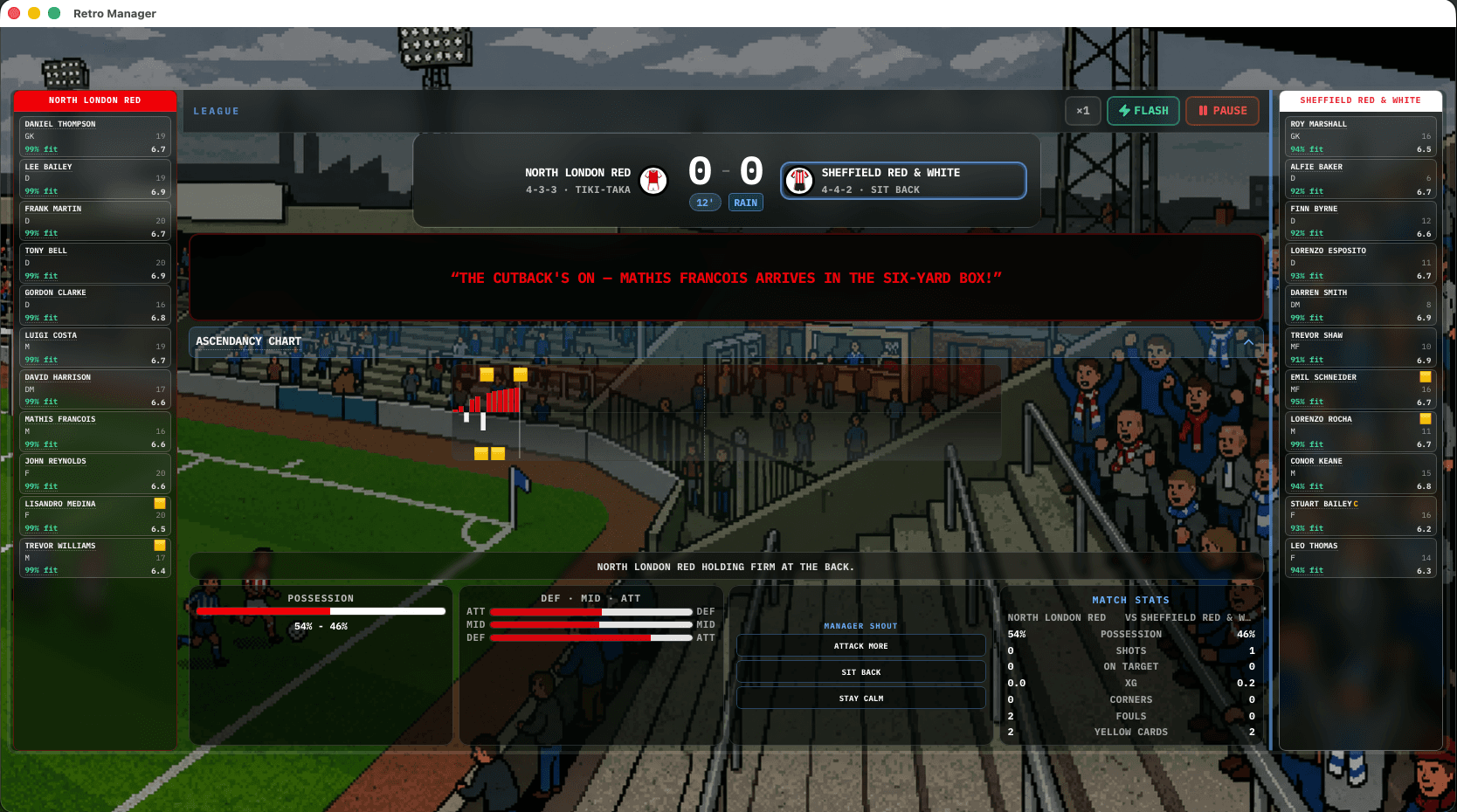
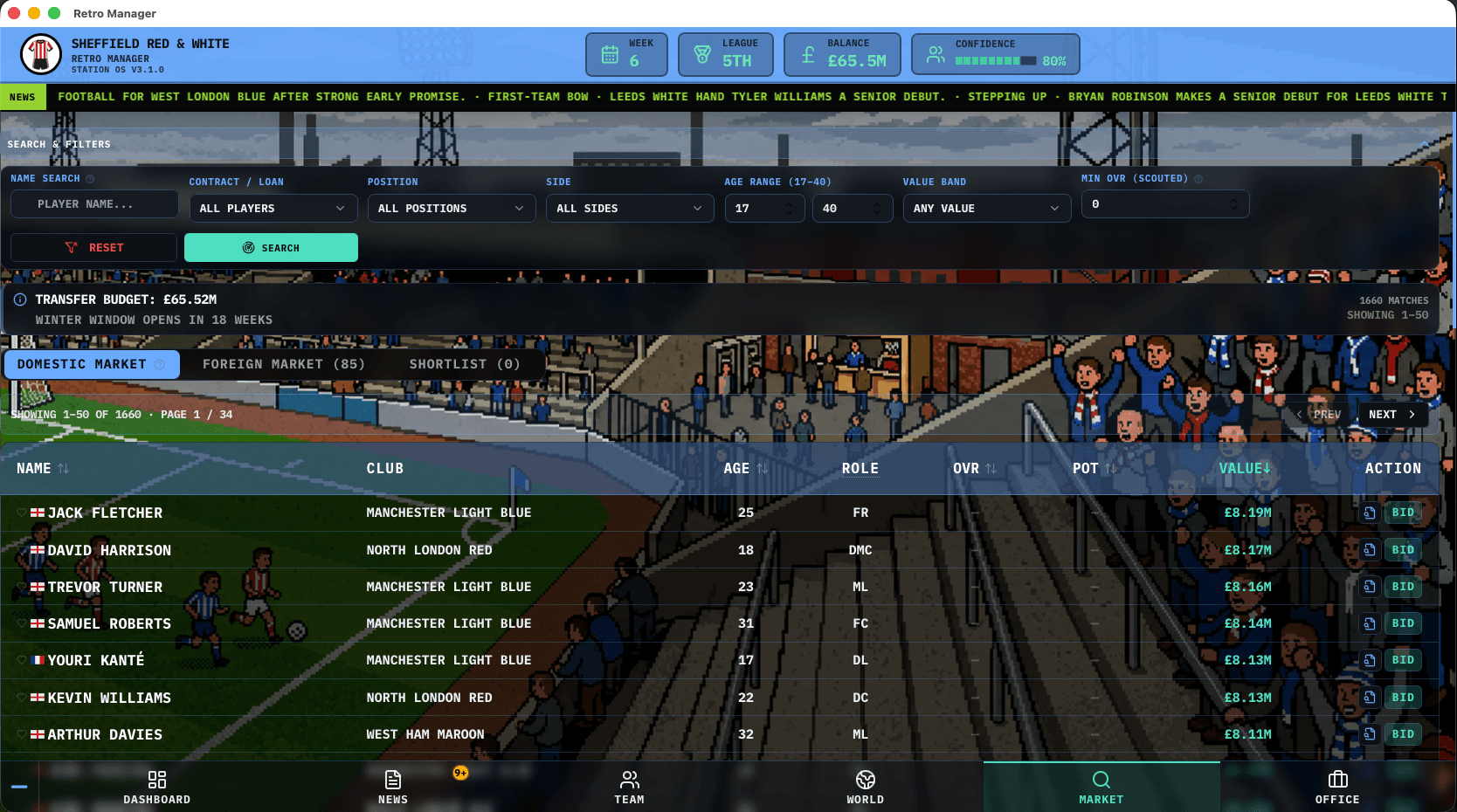
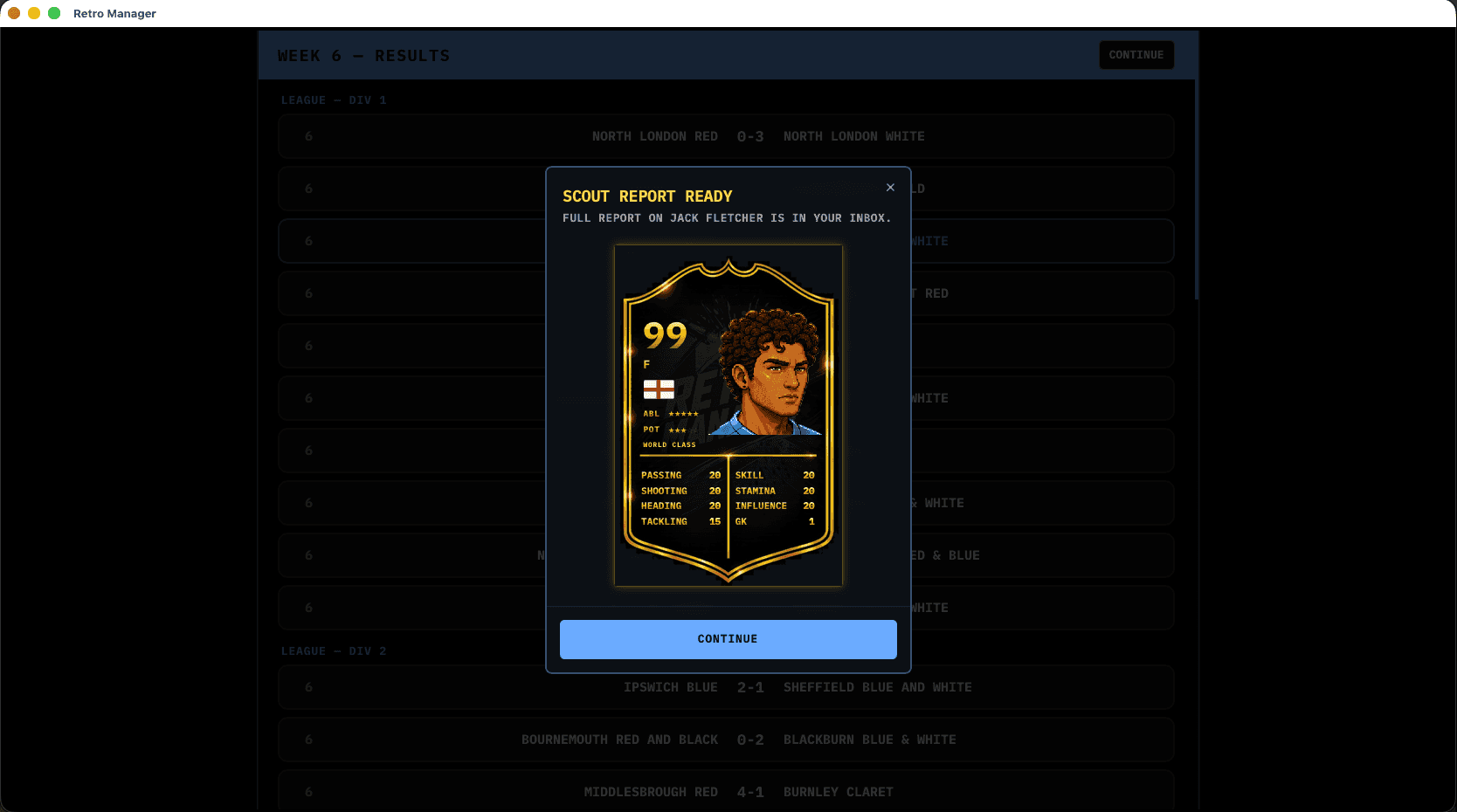
A quick look at the current UI — see all screenshots from match day, transfers, scouting, and more.
About Retro Manager
What is Retro Manager?
Retro Manager is a free-to-try football manager game online — play the browser demo with no download. Inspired by classic 90s management games, it focuses on fast seasons, clear tactical decisions, and instant gameplay. For the full experience with offline play, editors, and no promos, see the Steam edition.
Looking for a retro football manager game with modern polish? You get league and cup football, transfers, staff, and minute-by-minute matches. It is a football manager game online built for fans of Championship Manager-era depth who want to click "play" and start immediately.
Retro Manager is our take on that same fantasy: squad building, tactical tweaks, and seasons that matter - all in one tab. Read the beginner guide hub, dive into match-day and tactics tips, or browse the full shipped feature list. New here? Start with our how to play page, then skim football manager tactics and the retro vs modern comparison.
Free retro football manager in your browser
Looking for a browser football manager game you can open anywhere? Retro Manager runs in the tab - desktop, tablet, or mobile. No downloads, no installs, no waiting: load the page and play, whether you have five minutes or a full evening.
Key features
- Instant play - open the tab and manage; no download or installer.
- Real-time match engine - minute-by-minute simulation with live commentary; formations, styles, and changes you make on the fly.
- Squad & transfers - contracts, windows, scouting, and staff to shape a long-term squad.
- Form & fitness - track who is sharp, who needs rest, and how momentum shifts in-game.
- Retro football manager feel - nostalgic presentation with a responsive, modern shell. Details: full features list.
How to win matches
Success comes down to three things: pick a formation that suits your squad (not just a default), adapt during the match when momentum shifts, and manage fitness and form so tired players do not cost you points.
In practice that means balancing squad depth, tactical fit, and in-match adjustments - substitutions, style tweaks, and half-time team talks that rebalance zone emphasis for the second half.
For a deeper pass, read the football manager tactics guide and the in-product game guide.
Retro Manager vs modern football manager games
Some modern simulations chase encyclopaedic databases and multi-hour setup. Retro Manager keeps the fantasy readable: deep enough for tactics nerds, fast enough for a lunch-break season - a casual football manager you can enjoy without the grind, always as a soccer manager browser game with no install friction.
See a fuller comparison on retro vs modern football manager games and the about page for design pillars.
FAQ
Is Retro Manager free to play?
Yes. You can try the football manager game online in your browser for free. The full edition on Steam is a one-time purchase with offline play, database editors, and no in-game store prompts.
Do I need to download anything?
No. It is a browser football manager - load the site and hit play. On supported devices you can optionally install the PWA for a home-screen shortcut.
What kind of game is it?
A single-player football management sim: tactics, transfers, seasons, and cups - styled like classic 90s PC managers with modern UX.
Will I see ads or store prompts in the browser?
The free web version may show occasional short full-screen prompts about the Steam or App Store full edition — for example after some matches or at the start of a new season. They are brief and you can continue playing afterward. The paid Steam edition has no station-break prompts.
Where should I start?
Open the how to play Retro Manager walkthrough, then the guide hub.